
Why use PHP Namespace?

PHP Namespace is a virtual directory you create in PHP. It is used to avoid conflicts when declaring Classes in PHP.

In Object-Oriented Programming, it is best practice to place one class in one file, if there are 2 classes in 1 file then that just defeats the purpose of OOP. So why use Namespace? Here is an example.

In the index.php file, we have the code that:

  1. Requires 2 PHP files
  2. Instantiates the class A
require('first-class.php');
require('second-class.php');
$object = new A;

In first-class.php, we have a class and a method that displays a text.

class A{
    public function __construct(){
        echo "I am the first class A.";
    }
}

In our second file, second-class.php, we have a class with the same name.

class A{
    public function __construct(){
        echo "I am the second class A.";
    }
}

Now if we run the index.php file, we will get an error.

Fatal error: Cannot declare class A, because the name is already in use in C:\xampp\htdocs\php_tester\namespace\second_class.php on line 2

What happened is that the instance variable object is confused on which Class to instantiate. To solve this is to use namespace. This is important especially on huge projects and projects that use libraries. Namespace can also help collaborative projects for teams who code on a single project.

To use a namespace is simple. We add the namespace code at the top of the class and specify a name for it. In first-class.php file, we update the code to:

namespace FirstA;
class A{
    public function display_text(){
        echo "I am the first class A.";
    }
}

Now in our code in index.php, when we want to access the methods and properties under the first-class.php file, we update the following code to:

require('first-class.php');
require('second-class.php');
$object = new FirstA\A; //qualified class name

//result "I am the first class"

The code $object = new FirstA\A; is called the Qualified Class Name.

We can also place a namespace in our index.php file.

namespace FirstA;
require('first-class.php');
require('second-class.php');
$object = new A; //unqualified class name

//result "I am the first class"

Notice that I removed the namespace in the instantiation, we can call it as Unqualified Class Name.

But… how do we call the class under second-class.php? We do it by:

namespace FirstA;
require('first-class.php');
require('second-class.php');
$object = new A; //unqualified class name
echo "<br />"
$object = new /A; //fully qualified class name

We call it Fully Qualified Class name or FQCN.

We can also use the code “use“.

//namespace FirstA;
require('first-class.php');
require('second-class.php');

use FirstA\A as NewA

$object = new NewA; //unqualified class name
echo "<br />"
$object = new /A; //fully qualified class name

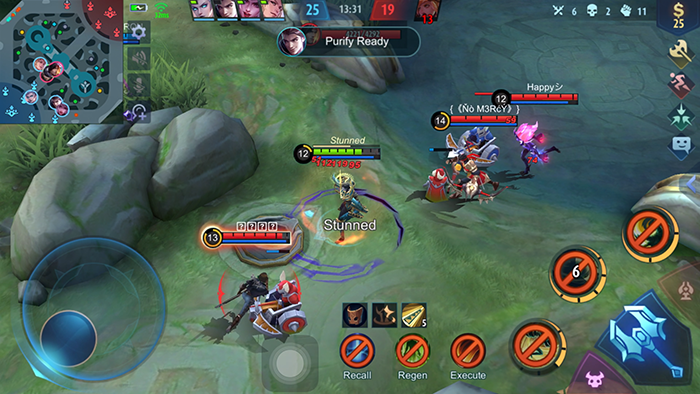
Mobile Legends’ Annoying Team Algorithm

So you are a good team player in Mobile Legends. Either you have mastered a single hero or have mastered more than 5 heroes, you are a good player with a win rate of 60% and above.

Then comes Mobile Legend’s algorithm. Mobile Legends like any other games want to control people so people get hooked up. If a game is too easy, people will get easily bored. If the game is challenging, then people will get hooked to it because they want a challenge. Mobile Legends keep people hooked up in 2 ways. They have their own algorithm so players are always hooked up and always wanting to play more and win more.

  1. The Team Algorithm
    Supposed you are a good player and a good team player, and you won 3 to 4 games in Rank Mode. The next game, the algorithm will automatically set you to a player who has lost in their 3 or 4 games in a row. Or worse, feeders, you will be teamed with feeders. The worst thing is there are more dumb players than good players. I am sure you know that.

    So, here you are a good player, with 3 or 4 dumb/feeder teammates and 1 average player. The result is, there is a high chance you will lose and lose a star.

  2. Stats Controlling Algorithm
    Have you noticed how your hero starts performing/damaging very low compared to your previous matches? I noticed it too. If you are a good player with too many wins on your last 3 or 4 games, the algorithm will lower your stats in the background. Of course, they will not display it on the stat bar but in the background, your stats are decreased.
    That’s why your damage is lower, and your enemies have higher.

Just like the algorithms in gambling, casinos want their customers hooked up so there’s always a higher chance of you losing in the casino than winning, but still people get hooked up because you know, greed. Facebook and other social media also hire people who know how to get people hooked in to their platforms, from the display, the interface and the content they display. It’s all psychological. The same with games like Mobile Legends, the feeling of winning feels so great so the game will give you higher chance to lose so you will be dissatisfied and will keep on playing just to have the win.

I am deleting my account and the game app now, I don’t want to play games that are being manipulated.

WordPress 5 Page Editor Will Not Let You Exit Page

WordPress 5 has finally come to the WordPress CMS. It has many features that lets it step up it’s game.

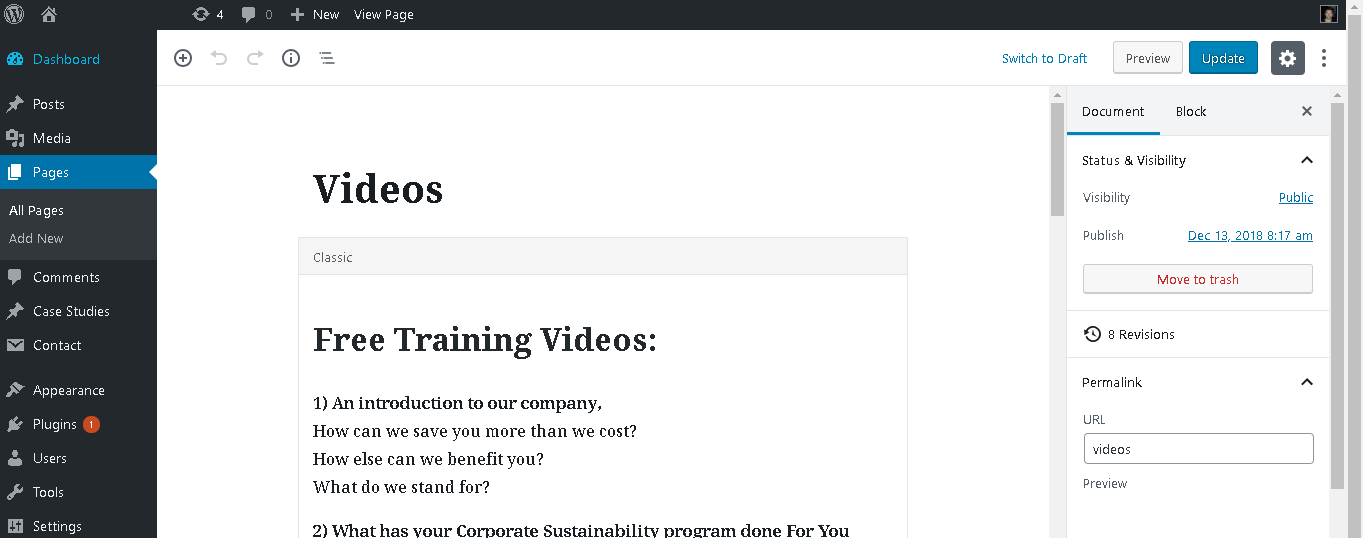
One thing I noticed while using WordPress 5 is that when you’re editing a page using it’s custom built Page Editor, if you want to go to another Admin page, it doesn’t let you. It requires you to Save/Update your current page first before it exits you.

Closing the browser doesn’t work either, nor closing the tab. It prompts you to Save the current work before you can leave.

I am sure that the WP team did not put the functionality on purpose but it’s a bug of a script or maybe the browser having some issues or conflicts. I am currently using Chrome as a browser, I don’t know if this happens on other browsers.

This is a bad thing especially when you didn’t edit a content of a page or post and you’re just visiting the page editor to copy some custom code or you’re just checking the page settings so you can make a reference for other pages. You don’t save the page, it’s a bad practice, what if you accidentally touched something or added some texts or codes or accidentally deleted a code or text.

The best way to exit the page is to force close the application, or a technique that I do, click the close button on top while pressing enter.

Posted in Fix

Specified key was too long – Migration error – Laravel

If you encounter this error when migrating database in your Laravel project, “Specified key was too long” then you might be using an older version of MySQL or MariaDB.

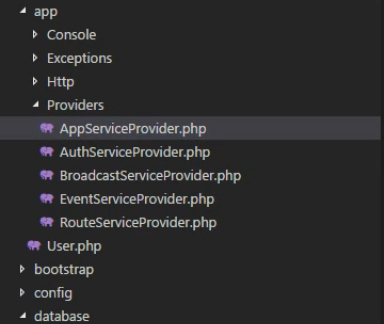
To fix it. Go to your App directory then Providers and open AppServiceProvider.php

Specified key was too long - Migration error - Laravel
Specified key was too long – Migration error – Laravel

Add the Schema Facad at the top “use Illuminate\Support\Facades\Schema;

Then paste this inside Boot function “Schema::defaultStringLength(191);

That’s it! Run your migration again.

Posted in Fix

How To Install Laravel

How to install laravel is fairly easy. A beginner like can do it. Working on dependencies, Laravel uses PHP composer. You need to install Composer in your computer before installing Laravel.

First – Visit the following link and download composer to install it to your system.

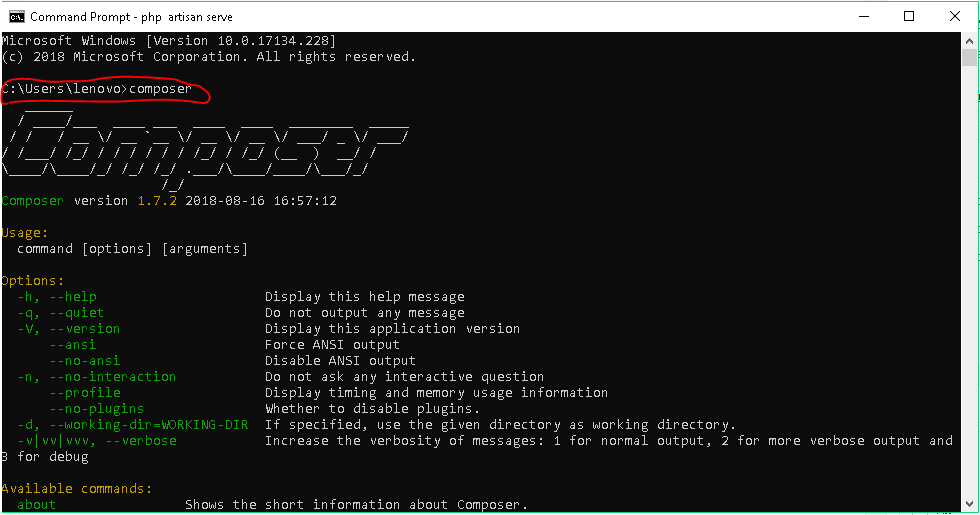
Next – After the Composer is installed, you can check if it’s installed properly in your system by typing “composer” in your command prompt.

command prompt composer laravel

Next – Create a directory inside your working location, if you’re using XAMPP then go to C:/xampp/htdocs then create a folder. name it as the name of your project. I would name mine “laravel” so the directory would be C:/xampp/htdocs/laravel.

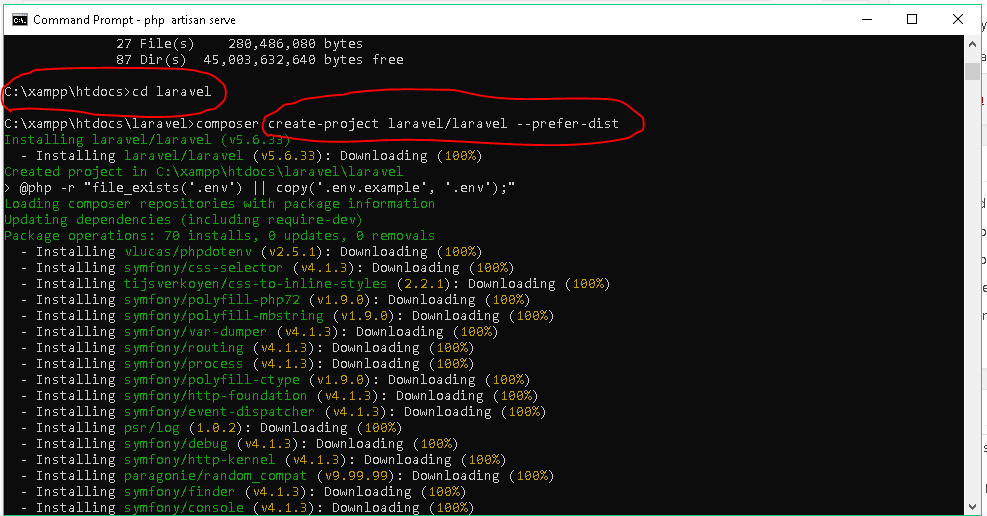
Open Command Prompt then go to the directory you just created, once inside, type the following code to start installing Laravel composer create-project laravel/laravel –-prefer-dist

composer create-project laravel/laravel –-prefer-dist

Wait for it to finish the install.

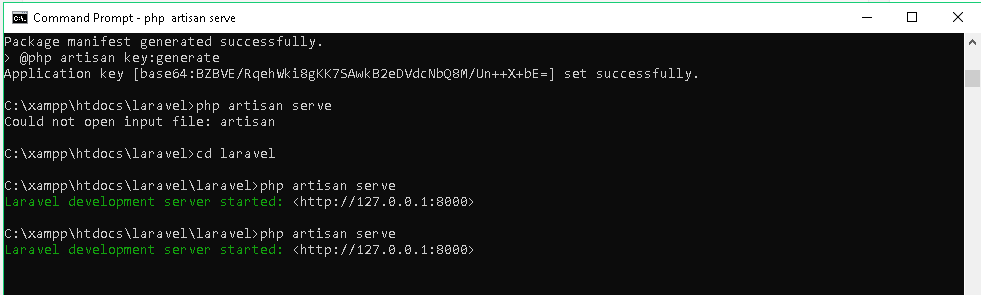
Next – To start the laravel service, type the following inside your laravel directory. php artisan serve

composer laravel php artisan serve

You may need to restart your computer after installing Composer.

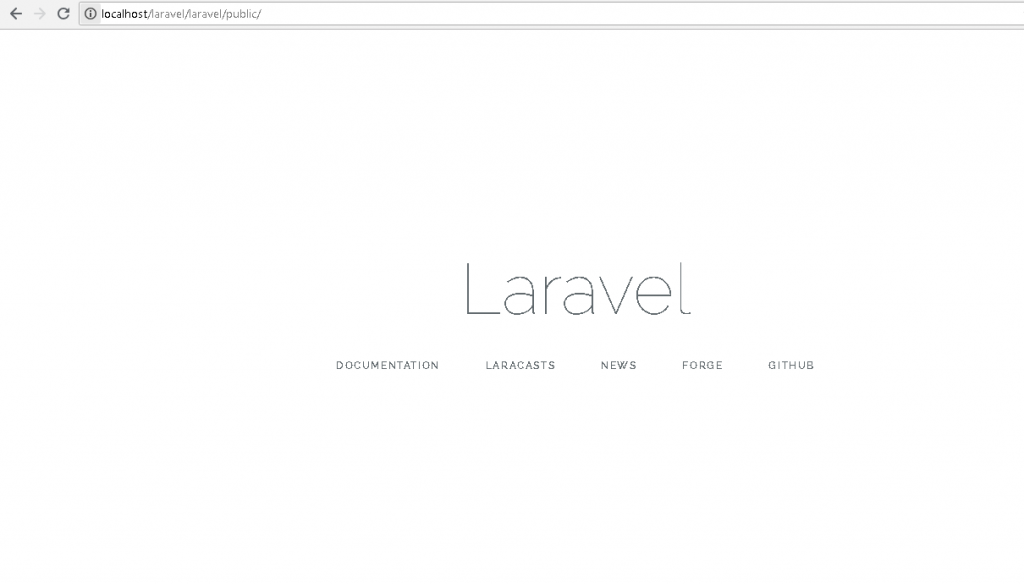
Finish – Make sure that Apache server is running, go to your browser and type localhost/laravel/laravel/public/ for my project

laravel intro browser

Fix the CSS Bug in Divi Theme Front End Builder

This article shows how to fix the css bug in Divi theme front end builder.

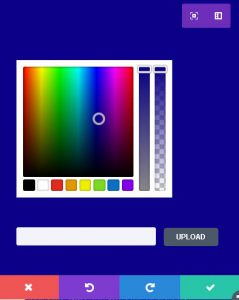
If you’re using Divi Theme from Elegant Themes, then you’d have probably encounterd a bug in the Frontend Builder feature. That is if you added a mobdule/block to the front end and try to edit it’s settings, you cannot click the elements inside the settings Popup.

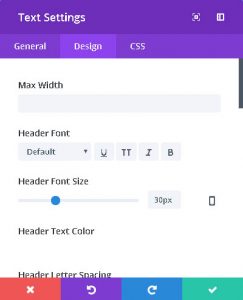
Here is an image example:

In the image above, if you cannot click any of the elements in that popup settings eg(Max Width, Header Font, Header Color) then you have a similar problem.

Also if you try to change the the background color of the module, the popup settings background will also change.

Solution:

  • Go to your Theme Directory via FTP or Cpanel File Manager
    • That would be /wp-content/themes/Divi
  • Go to the following sub directory /includes/builder/scripts/ext
  • Locate and Open wp-color-picker-alpha.js
  • Search for the term “absolute”
    • The code should look like this ‘position’: ‘absolute’,
  • Replace the word “absolute” with “relative”.
    • So the code now would be ‘position’: ‘relative’,
  • The same with wp-color-picker-alpha.min.js,
  • Open wp-color-picker-alpha.min.js
  • Search for the term “absolute”
    • The code would look like this ….height:”100%”,position:”absolute”….
  • Replace the word “absolute” with “relative”
    • So the code now would be ….height:”100%”,position:”relative”….
  • Upload and replace the files in your website.

That’s it! Refresh and clear the Browser Cache and enjoy using Divi Theme smoothly without the buggy CSS.

Get Rid Of Your Lazy Personality

Get rid of your lazy personality, but how? Why are you still poor? That should be the most often asked question to ourselves. Why is it a question? Because it’s hard to know the answer. Or maybe the answer was there all along, we’re just too dumb to realize or too busy doing other things which aren’t supposed to be in our priority. Being poor is not just about not having enough money. Being poor is about your personality, yourself, lacking the discipline on basically just everything or most of the things in life.  Be aware of these per

We all get there sometimes, stuck, confused and lost off your purpose, not for all maybe but I think most people. I have always been a very busy person, when I say busy, busy on progressing myself, my work and my projects. I knew what I wanted, and I knew how to get it. Those were the days where my momentum is unstoppable. I even pushed on starting my own company because there’s a boost of client sales and projects.

It felt good, I felt confident and satisfied. Everything’s going well, there are ups and downs in my career and I don’t know what happened since then, everything changed. I lost my momentum, I lost my clients, my projects, my money-making routine.  I’ve become lazy, my mind became lazy, my focus went down, my eagerness to learn vanished. I started taking clients for granted, I lost everything.

Being satisfied while being a fool is a bad combination. I admit, I felt satisfied, I took things for granted, I felt confident, I said to myself, this is life, and I should remain like this in order to enjoy life. What a bad idea.

I never realized that I was still young, 23 at that time and I have so much to learn. Being arrogant and having false confidence, I stopped listening to other people, I only listened to myself, and so here right now, I’m 26, 3 years of being dumb and stupid without realizing it.

I would like to list what I learned from my mistakes.

The qualities of a lazy person and know how to get rid of your lazy personality.

1. Easily Loses Motivation
2. He Knows/Wishes What He Wants But Doesn’t Fully Focus On Getting It
3. Out of Focus
4. Takes Time For Granted
5. Procrastinating
6. Sleeps a lot and do useless things

You should first know this 6 symptoms to get rid of your lazy personality.

If you find yourself to have these characteristics then you’re in trouble, you may not realize it now but soon you will see how it materializes and affects your future. I realized that as we are still younger, you must develop good characteristics. If you’re a student and is always late, you will carry that bad late-habit when you start working.

We always hear the saying and similar quotes that lazy people will always become poor, it’s Biblical, it’s practical, it’s a reality. Get rid of your lazy personality now, so you can start growing.

If you want to know more about self improvement, feel free to contact me and we can share our thoughts with each other.

Restricting Your Work On Your Work Station

Restricting your work on your work station, most people prefer to buy gaming computers and gaming laptops. Everybody wants a super fast computer. The size of the PC game a computer can smoothly handle defines its power, speed and performance.

So you got a super fast computer. Now what? You can work on Excel, Word, Skype, or text editors for coding. After work, you can watch your favorite movies at 4K quality. After dinner, you can play the heaviest games in the market, both online and offline at the highest graphic quality without your computer crashing.

Play games, watch movies, browse social media in your computer, that sounds fun but it’s leading you to your failure. You’re tempted of-course. TV series are addicting, games are more addicting especially online games. Work? Work is tiring and boring. FB’s Zuck, Bill Gates, do you think they had the time to do those things? Even if they had the time, do you think they care about the simple pleasures 99.9% do? No they don’t.

Humans are given free will. We are all free. Free to do what you want, free will and free decisions.  Freedom also leads to being forgetful. You may be inspired one moment, then you’ll go full hopeless the next. And you may gain wisdom about something, then you forget about it the other day. We all have that, what I do is take note of every wisdom, every idea, every great philosophy, every innovation that comes to my mind so I won’t forget it.

To cure this common human trait, you need to set rules for yourself. Your own rules for your own self. That leads to the title of this post. “Restricting Your Work On Your Work Station – Programming Your Mind”. Programming is all about rules. Rules or instructions. If you do this, it will do that. Machines do not change. What instructions it gets, it will follow the instructions without fail. Humans change, it will or will not follow rules. What we need is to program our minds to do things that will lead to success. It’s a type of self-discipline.

If you want to know more, or share your similar experience, contact me so we can discuss and make the world better.